

Selling on SHIFTA is simple, transparent, and completely commission-free. You keep 100% of your bike’s sale price. Whether you’re selling one bike or managing a full shop, SHIFTA makes it quick to list and easy for buyers to find the details they need to buy with confidence.
How to Sell Bikes on SHIFTA | Step-by-Step Guide for Sellers
Setting Up Your First Listing
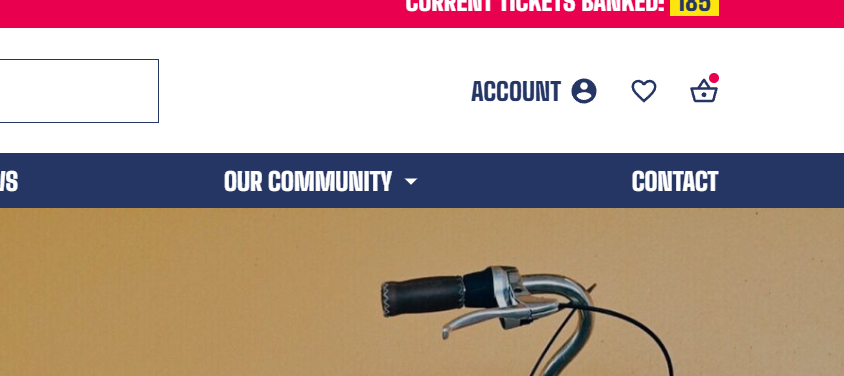
To start selling on SHIFTA, go to the homepage and click the “Account” button at the top to open your Account Page.
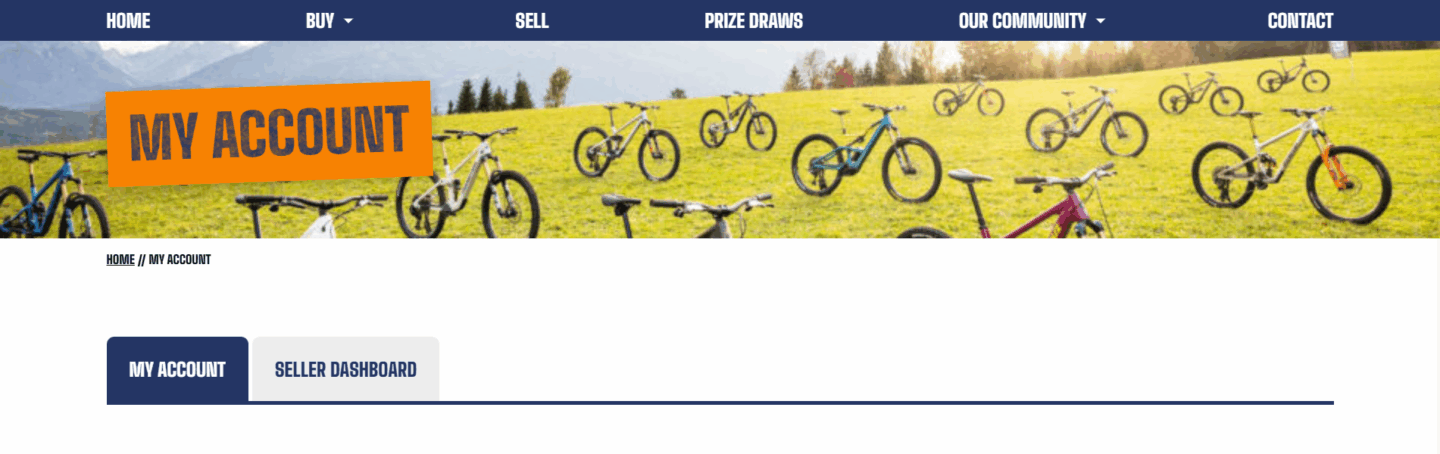
From there, navigate to your Seller Dashboard.
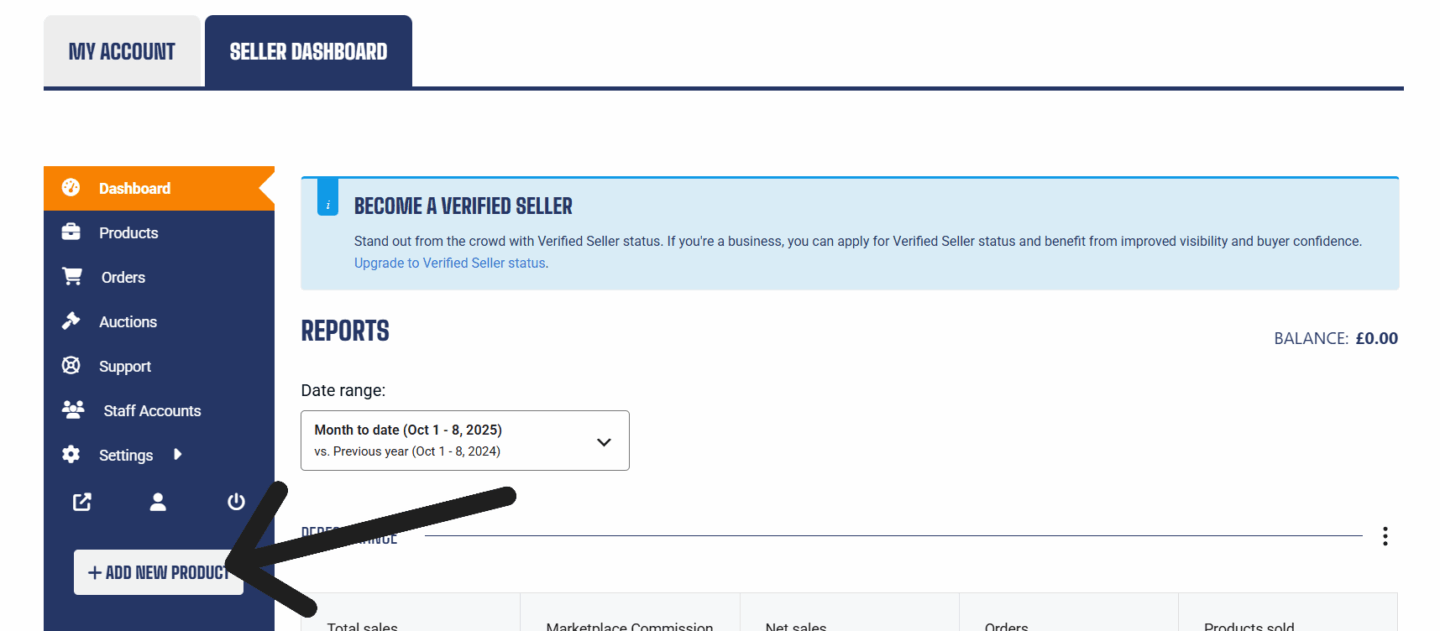
After entering your dashboard, look at the side menu and choose “Add New Product” to start your listing.
Once you have selected your category, a form will appear where you can add your bike’s specific details such as make, model, condition, and price and details about the product you are listing. Make sure every field is accurate. Well-detailed listings increase buyer confidence and speed up sales.
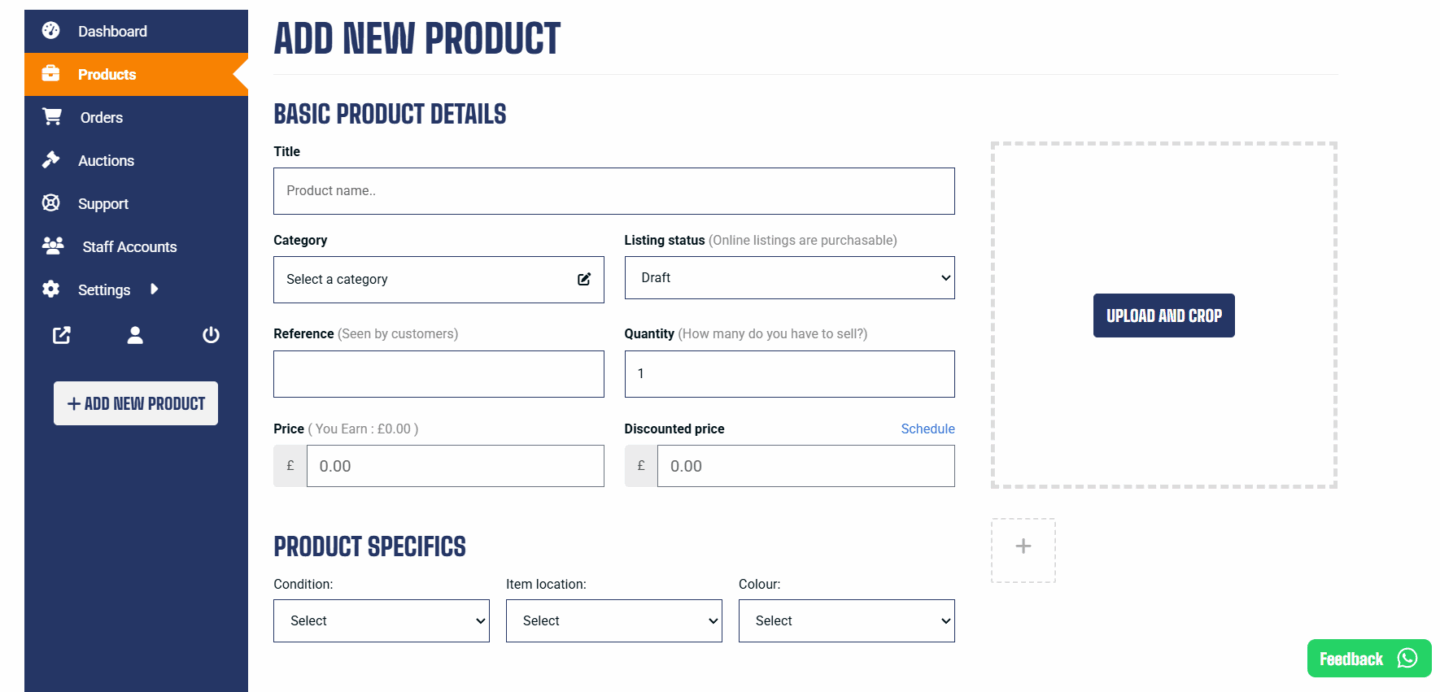
Good photos sell bikes faster. SHIFTA uses a 1:1 (square) image ratio, so frame your bike properly before uploading. We recommend at least five clear photos:
- Left side
- Right side
- Front view
- Rear view
- Drivetrain close-up
You can add more detailed shots of specific parts, such as handlebars or the saddle. If there are scratches or mechanical issues, photograph them clearly. Honesty builds buyer trust.
Be honest in your listings, false or misleading details can result in suspension of your account.
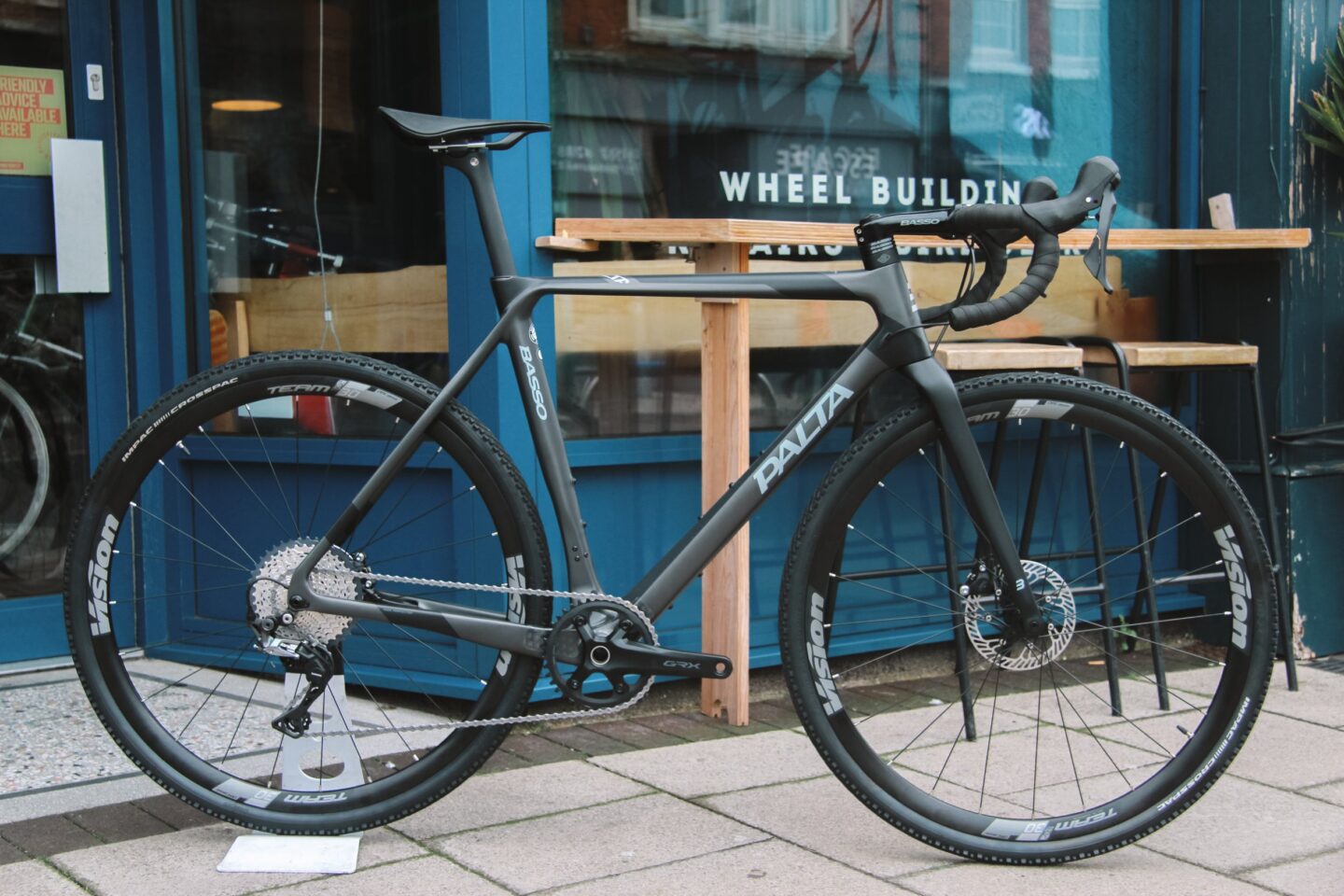
Shipping
Before you publish your listing, fill out your shipping details. Decide whether you offer local collection only, or nationwide delivery. If shipping, research courier prices, bike shipping can cost more than expected, and pack the bike safely. Remove pedals, lower the seat post, and secure fragile components like the derailleur with padding and tape to prevent damage in shipping.
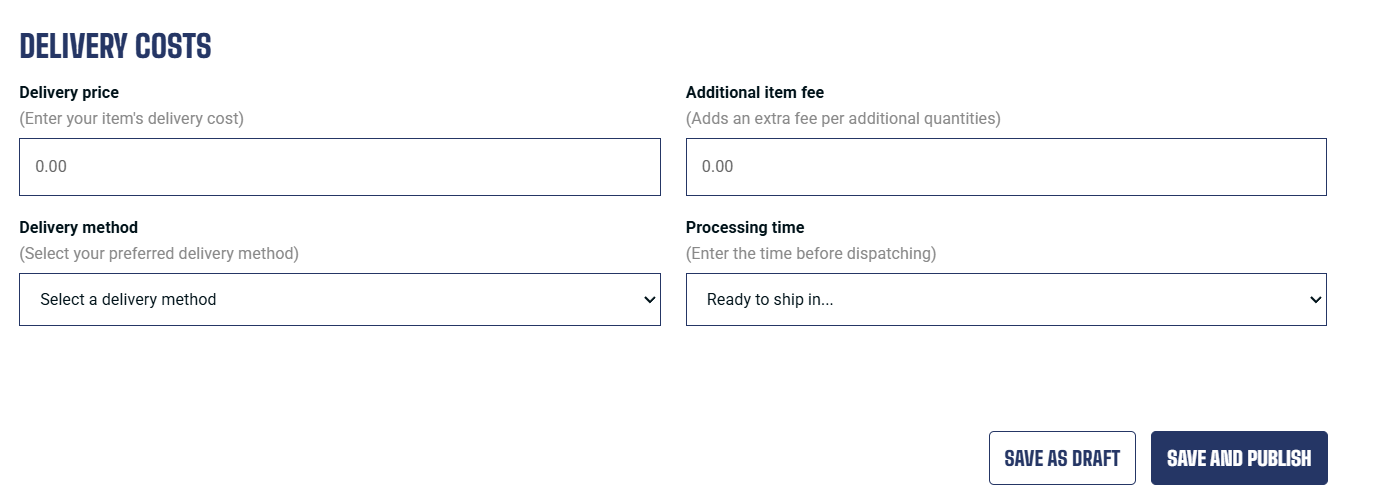
Always secure and pad delicate parts, such as the chain and derailleur, so your bike arrives in perfect working condition.
When everything is ready simply click “Save and Publish”, your listing goes live instantly.
You may also be wondering how you remove a listing which is what we will go over next. I should warn you that removing listings comes with the penalty of 200 tickets. That may seem irrelevant however if your ticket balance falls into the negative, your future earned tickets will be countering that deficit and should you win a prize draw during the time that your balance is negative you will forfeit the prize.
You might want to update or delete a listing at some point, here’s the process.
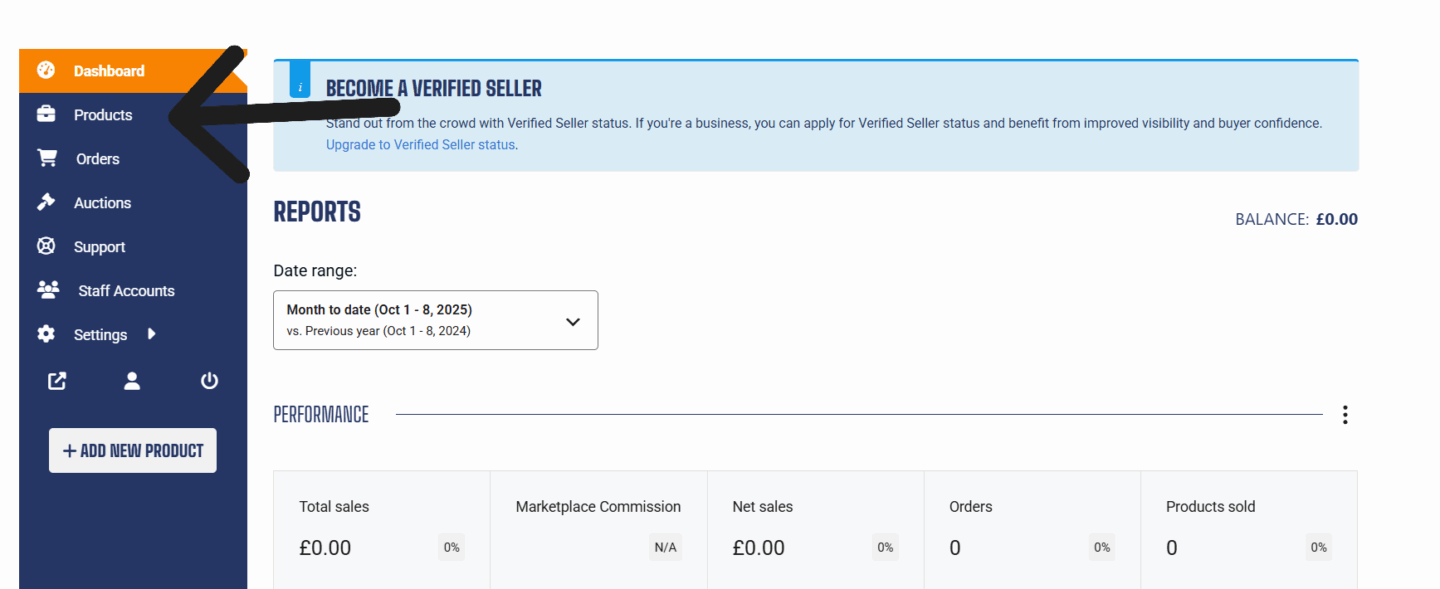
Begin by navigating to your seller dashboard and clicking the “Products” button in the menu on the left hand side of the screen.
Having pressed that button, it’s very simple. You simply scroll to the item you want to remove, hover your mouse over and press the delete permanently button.
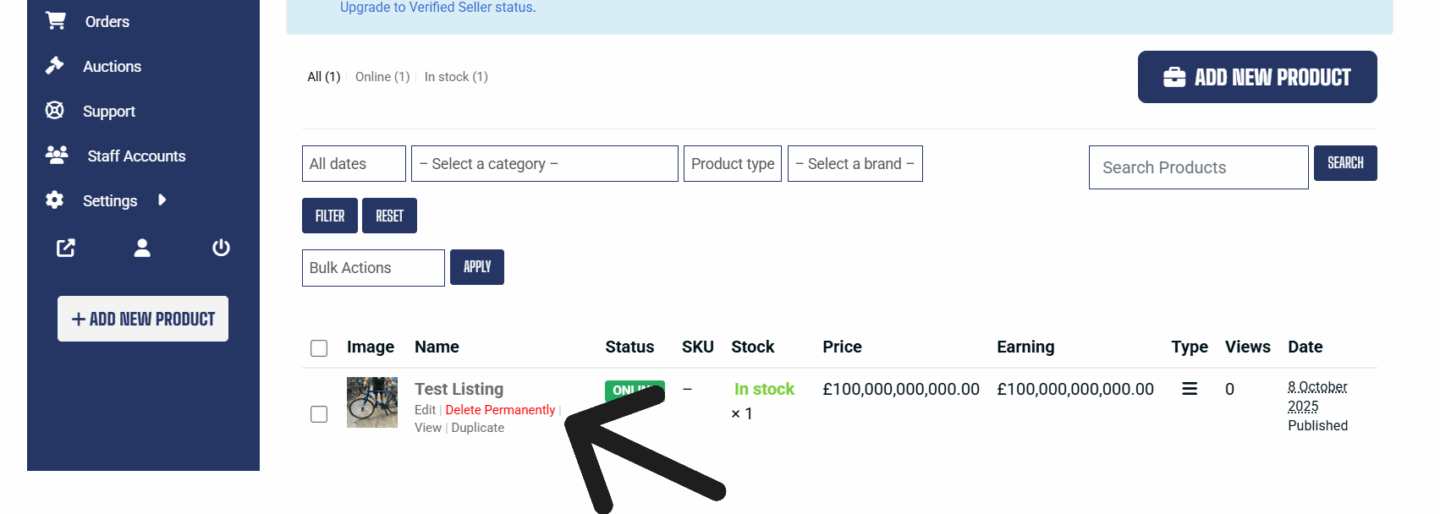
When you confirm the action, the system removes your bike from the marketplace.
For more information, click on the floating WhatsApp button or email [email protected]
Want to keep up with the latest developments, tips, and insights from SHIFTA? Subscribe to our newsletter and get updates delivered straight to your inbox here ~>